AI as a tool, not a feature
Language models are changing how software is built. Here is where they genuinely earn their place, where they don't, and how we build them in safely.
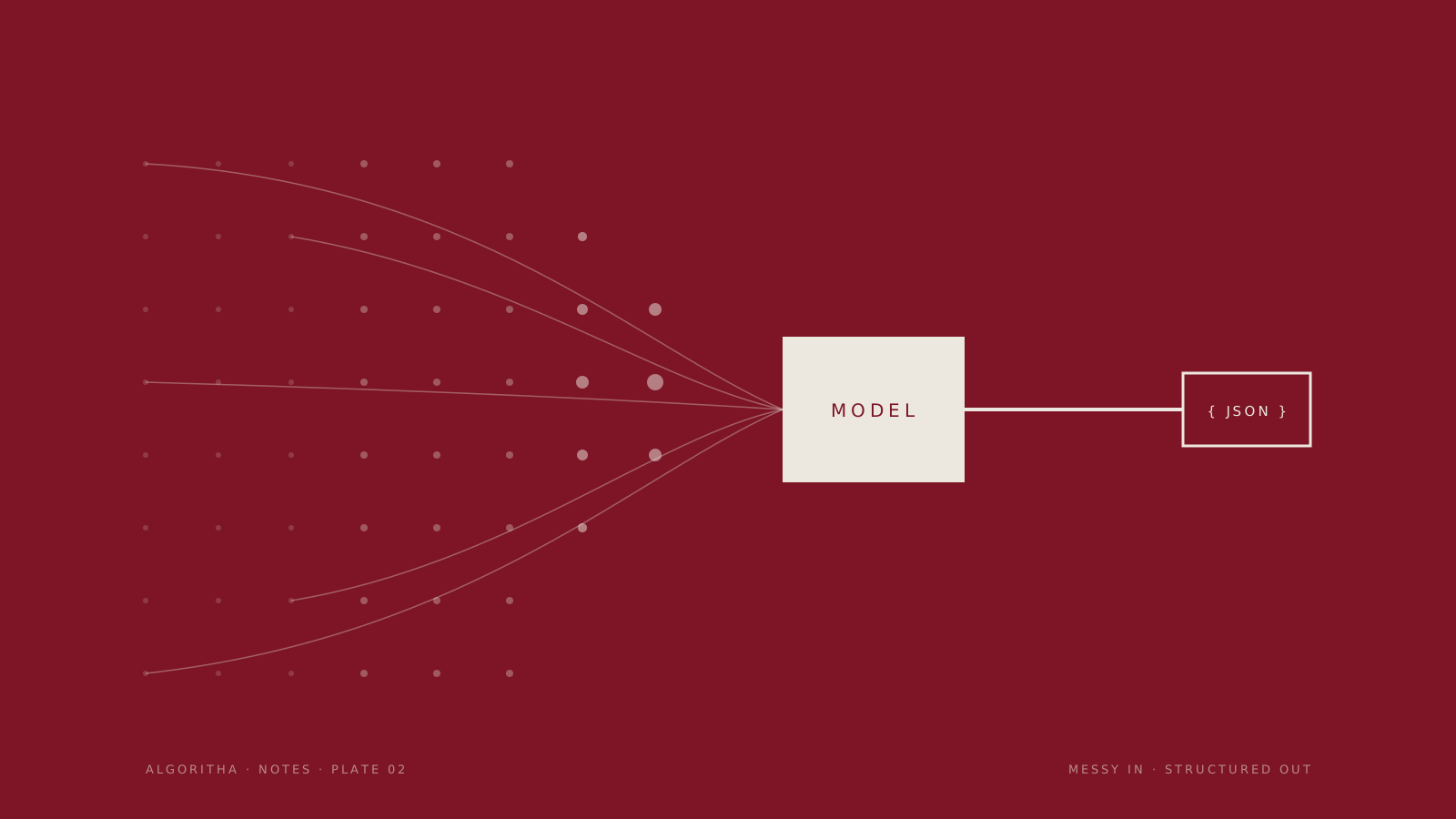
Adding “AI” to a product has become the default move. A chat box in the corner, a “generate” button in the toolbar, a press release with the word intelligent in it. Very often it is the wrong move — not because the technology is weak, but because it was added as a feature instead of being used as a tool.
The difference matters. A feature is something you add to look current. A tool is something you reach for because it is the best way to solve a specific problem. Language models are an extraordinary tool. They are a mediocre feature.
What models are genuinely good at
After building with them for a while, a clear pattern emerges. Language models are excellent at a handful of things that used to be painfully hard to do with ordinary code:
- Turning unstructured input into structured data. Emails, PDFs, scanned forms, free-text notes — into clean fields a database can use.
- Searching by meaning instead of keywords. Finding the contract clause that means “termination for convenience”, even when it never uses those words.
- Drafting. First versions of replies, summaries, descriptions and reports that a person then reviews and edits.
- Acting as glue. A flexible interface between systems that were never designed to talk to each other, or between a person and a system that is hard to query.
- Triage. Reading a large volume of incoming items and deciding which ones need attention first.
When a problem looks like one of these, a model can replace weeks of brittle rules — the kind of regex-and-if-statement code that breaks the moment a supplier changes their invoice layout — with something that simply works, and keeps working when the input drifts.
Where plain code is still the answer
The flip side is just as important. Models are probabilistic. They are right most of the time, and the exact proportion depends on the task, the data and how carefully the system around them is built. For a lot of problems, “most of the time” is a liability.
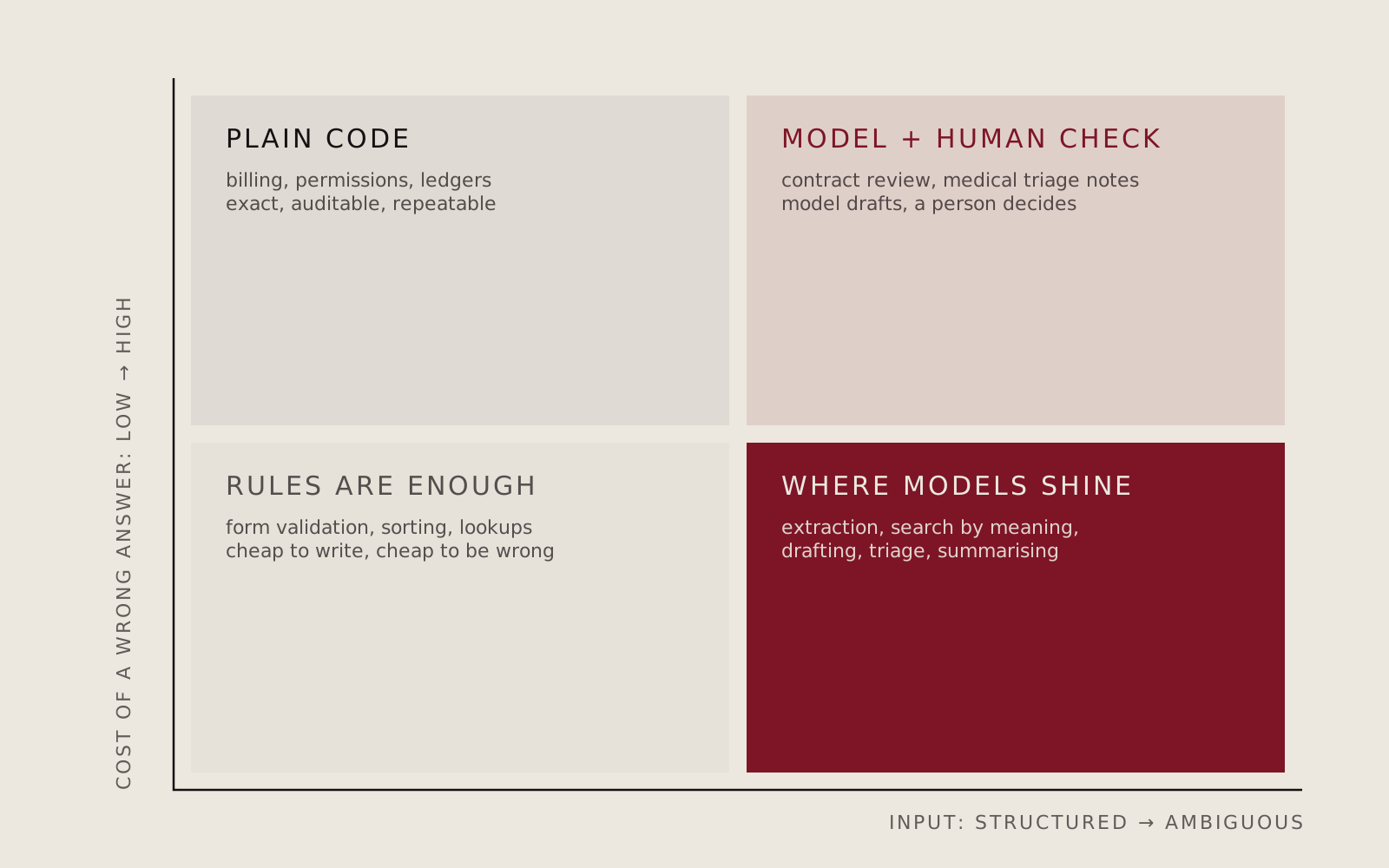 Fig. 1 — A simple way to decide. The more ambiguous the input and the cheaper a mistake, the more a model earns its place.
If the task needs to be exact, auditable and repeatable every single time — calculating an invoice, enforcing permissions, moving money — plain code is still the better answer. A model that is right 98% of the time is a liability in a billing system. It is a superpower in an inbox.
The interesting cases are in the top-right corner: ambiguous input and expensive mistakes. Reviewing contracts, summarising clinical notes, flagging fraud. Models are useful there too, but only as an assistant: they draft, highlight and prioritise; a person decides.
Building it in safely
The demo of an AI feature is easy. The production version is where the work is. A model call is a dependency with unusual failure modes: it can be slow, it can be confidently wrong, and its behaviour can shift when the provider updates it. So we treat it the way we treat any other critical dependency — with structure around it.
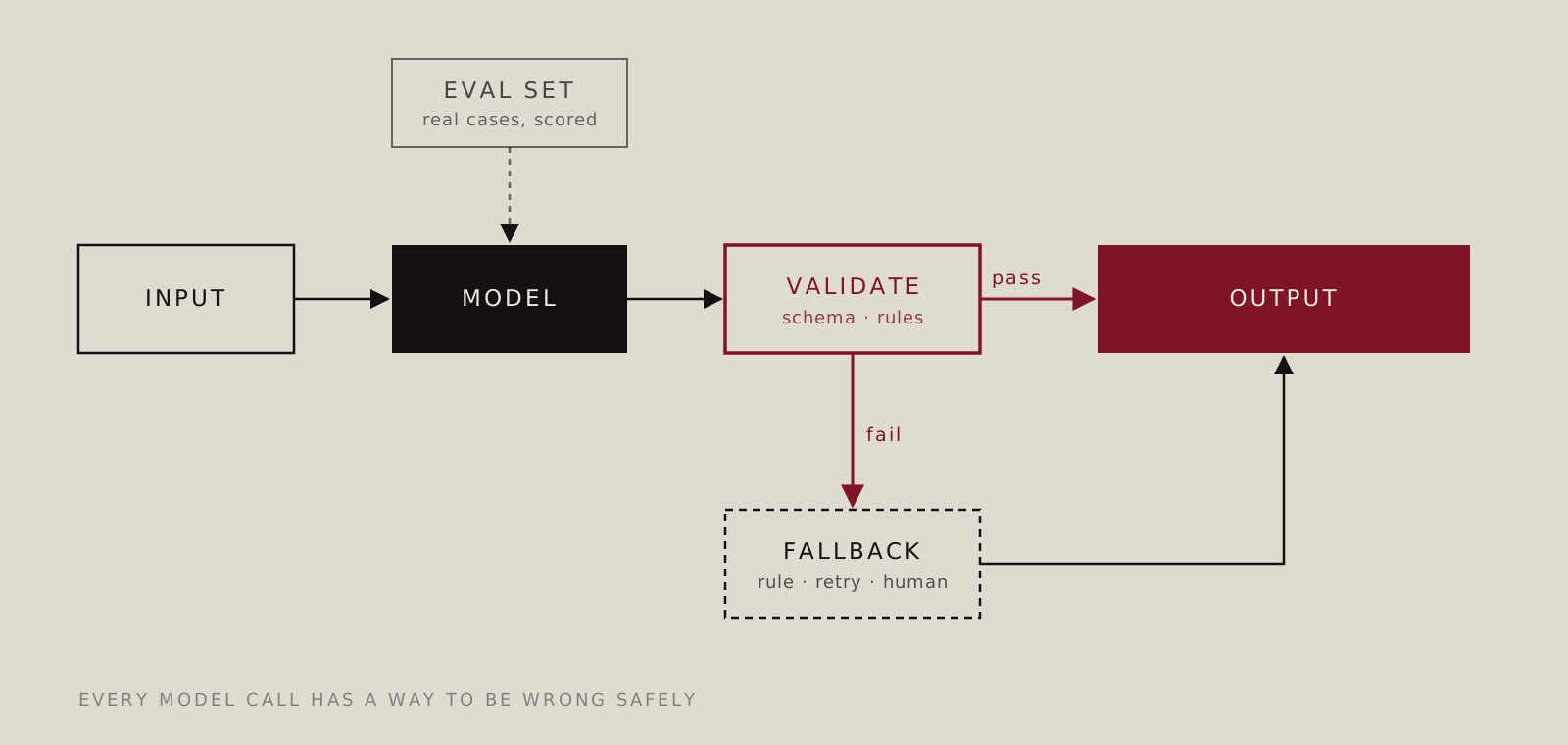 Fig. 2 — The shape most of our AI integrations take. The model is one box among several, not the whole system.
In practice that means a few non-negotiables:
- Structured output, always validated. We ask the model for data in a strict format and check it against a schema and business rules before anything else touches it. Invalid output never reaches the user.
- A fallback for every call. When validation fails or confidence is low, the system degrades gracefully: a simpler rule, a retry with more context, or a human review queue.
- An evaluation set from real cases. Before shipping, and every time something changes, the system is scored against a set of real, representative examples with known correct answers. “It looked good when I tried it” is not a test.
- Humans where the stakes are high. For decisions that matter, the model prepares and the person approves. The interface is designed to make checking fast, not to hide that a model was involved.
- Costs and latency on the dashboard. Model calls cost money and time. We measure both from day one, so there are no surprises when usage grows.
None of this is glamorous. It is the difference between an AI feature that impresses in a meeting and one that quietly saves a team hours every week for years.
How we decide
We treat AI the way we treat any other part of the stack: it has to justify its cost, its latency and its failure modes against the simplest alternative. Sometimes the simplest alternative is a well-written rule and a database query. Sometimes it is a model doing something no amount of rules could.
The question we ask is never “where can we add AI?”. It is “what is the most reliable way to solve this problem?” — and then we pick the tool.
If you are wondering whether AI makes sense for your project, write to us. Sometimes the most useful answer we can give is “not yet” — and sometimes it is “yes, and here is how to do it properly”.